Best SQL Courses in 2026 (Ranked and Compared )

Most "best SQL courses" lists are either too shallow (surface-level coverage that leaves you stuck at GROUP BY) or too generic (treating SQL as one skill when it isn't). The SQL a complete beginner needs is different from what a working analyst needs, which is different again from what an engineer building production systems needs. If you've been searching and the recommendations feel scattered, that's why.
We analyzed more than 20 SQL courses across major learning platforms, drawing on what we've learned from teaching SQL to over 50,000 Dataquest learners, and shortlisted the top SQL courses that actually deliver. These aren't the cheapest options or the highest-enrolled. They're the courses that take you from your first SELECT statement to the queries hiring managers actually test for: window functions, CTEs, query optimization, and the patterns analysts and engineers use daily.
This guide compares those 9 courses across cost, time commitment, dialect (PostgreSQL, MySQL, T-SQL), learning format, and the audience each one serves. Every entry includes honest limitations alongside strengths. By the end, you'll know which course fits your goal and where to start this week.
Best SQL Courses: Top Picks by Goal
Want the short version? Here are the strongest picks for the most common goals:
- Best hands-on beginner course: Dataquest SQL Fundamentals
- Best for career-changers: Zero to Mastery Complete SQL + Databases
- Best engineering-focused course: Frontend Masters Complete Intro to Databases
- Best free academic course: Stanford Databases: Relational Databases and SQL
- Best free quick-start: SQLBolt
SQL Courses Compared at a Glance
| Course | Category | Cost | Time | Format | Dialect | Best For |
|---|---|---|---|---|---|---|
| Dataquest SQL Fundamentals | Beginner | Free lessons / \$49 mo | 2 mo at 5 hr/wk | Interactive browser | PostgreSQL | Most complete hands-on beginner path |
| Codecademy Learn SQL | Beginner | Free / \$24.99 mo Pro | ~5 hr | Interactive browser | SQLite | Cleanest beginner UX in the SQL category |
| Mode Analytics SQL Tutorial | Beginner | Free | ~10-15 hr | Text + examples | PostgreSQL | Self-directed analyst-style learning |
| SQL for Data Science (UC Davis) | Analyst | Free audit / \$49 mo cert | ~14 hr | Video + quiz | SQLite | Credentialed analyst introduction |
| Complete SQL Bootcamp (Portilla) | Analyst | \$15-60 (Udemy) | ~9 hr | Video + projects | PostgreSQL | Budget-friendly PostgreSQL deep-dive |
| Zero to Mastery Complete SQL + Databases | Analyst | \$39 mo / \$279 yr | ~25 hr | Video + community | PostgreSQL + MySQL | Structured career-change path |
| Frontend Masters Complete Intro to Databases | Engineer | \$39 mo / \$390 yr | ~6 hr | Video + workshop | PostgreSQL + MongoDB | Engineering depth without SQL-only focus |
| Stanford Databases: Relational Databases and SQL | Free | Free (cert \$99 on edX) | ~10-15 hr | Video + exercises | Standard SQL | University-grade academic depth |
| SQLBolt | Free | Free | ~3-5 hr | Interactive browser | Standard SQL | Fastest free quick-start available |
For the full breakdown of cost, format, and what each course actually delivers, keep reading.
What Should You Look for in an SQL Course?
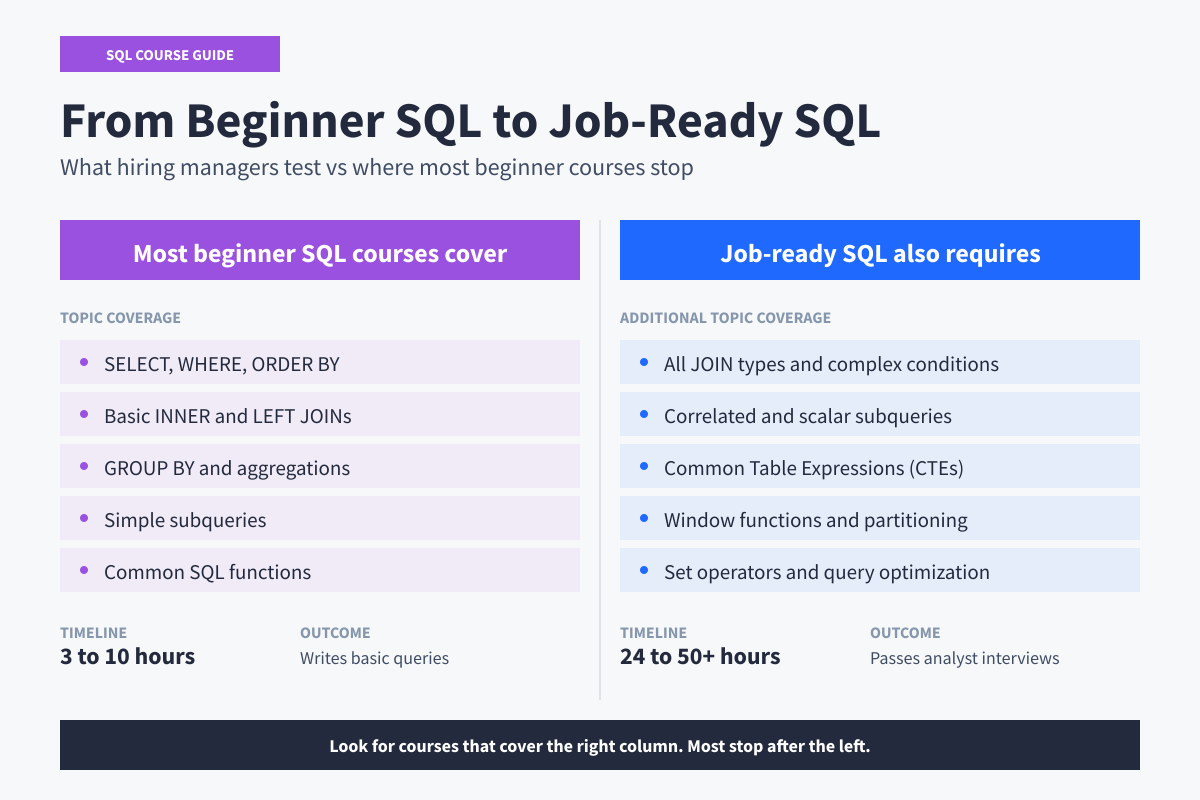
The first few hours of SQL feel productive. You write real queries that return real results. Then most beginner courses stop at GROUP BY, exactly where the gap to job-ready SQL begins.
Four signals tell you whether a course closes that gap:
- Interactive practice (a real query editor from lesson one, not video)
- Depth past aggregations (explicit coverage of subqueries, CTEs, and window functions)
- A clear progression beyond a single intro course (from fundamentals into analyst or engineering depth
- A dialect that matches your target (PostgreSQL is the safe default)
With those four signals in mind, the best place to learn SQL depends on your goal. Here are the top 9 picks for 2026, organized by category: absolute beginners, analysts, engineering and cloud, and free-track learners. Within each category, courses are ordered by most-recommended.
Best SQL Courses for Absolute Beginners
These three courses are entry points for learners with no SQL background. Expect interactive in-browser practice, real database queries from lesson one, and gradual progression from SELECT statements through joins and aggregations.
1. Dataquest SQL Fundamentals
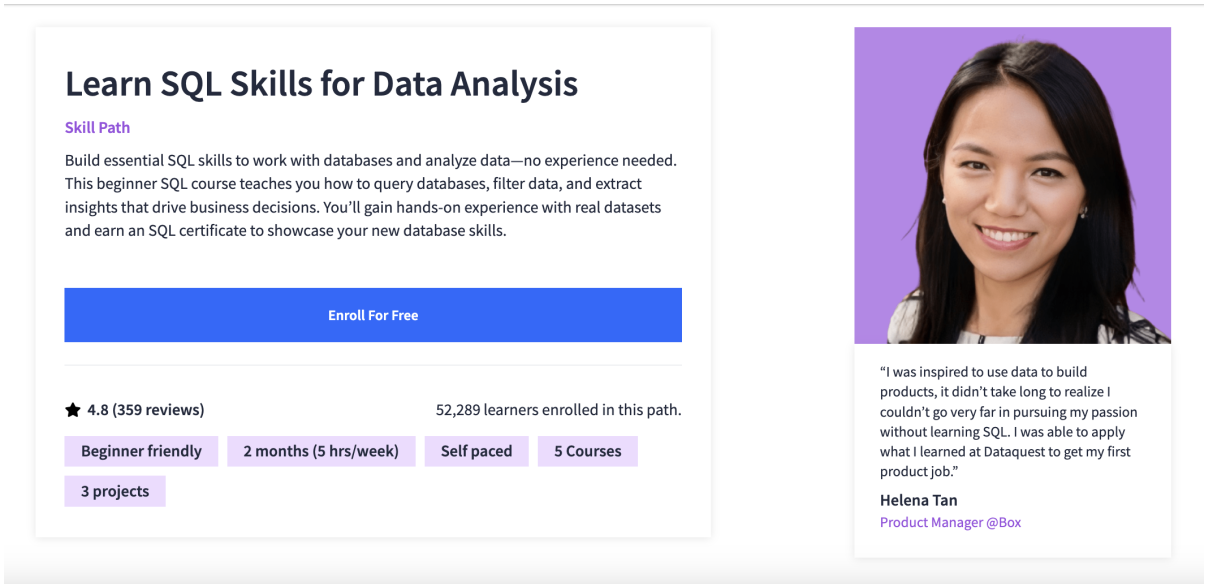
- Cost: Free lessons available to try the platform. Full path access requires a paid plan: \$49/month
- Time to Complete: 2 months at 5 hours/week, self-paced
- Prerequisites: None
- What You'll Learn:
- SQL query fundamentals: SELECT, WHERE, ORDER BY, filtering
- Aggregate functions and grouping (GROUP BY, HAVING)
- Combining tables with joins (inner, left, right, full) and set operators (UNION, EXCEPT)
- Subqueries and common table expressions
- Window functions: running aggregations, rank, distribution, offset
- 3 portfolio projects analyzing real datasets
- Industry Recognition: 4.8/5 from 359 reviews. 52,192 learners enrolled in this path. Dataquest has been independently reviewed by LearnDataSci as a strong fit for hands-on, interactive learning.
- Best For: Career-changers and beginners who want depth-first foundations that go all the way through window functions.
Why it works: Dataquest's SQL Fundamentals path is intentionally narrow: five courses, 24 hours, three portfolio projects. Each lesson breaks into small interactive steps where you write code against real datasets from lesson one.
Most beginner courses stop at joins and aggregations. This path keeps going into subqueries, CTEs, and a 7-hour module on window functions.
The portfolio projects frame you as a data analyst at specific companies (Kickstarter, a scale-model car retailer, Northwind Traders), which mirrors how analyst job descriptions are written.
Worth knowing: PostgreSQL-leaning, focused on standard SQL for analyst work. If you're targeting Microsoft shops where T-SQL specifics matter, supplement with Microsoft Learn's free T-SQL track.
The path doesn't cover database administration (indexing, replication, query optimization). For those, see Frontend Masters or Zero to Mastery below.
2. Codecademy Learn SQL
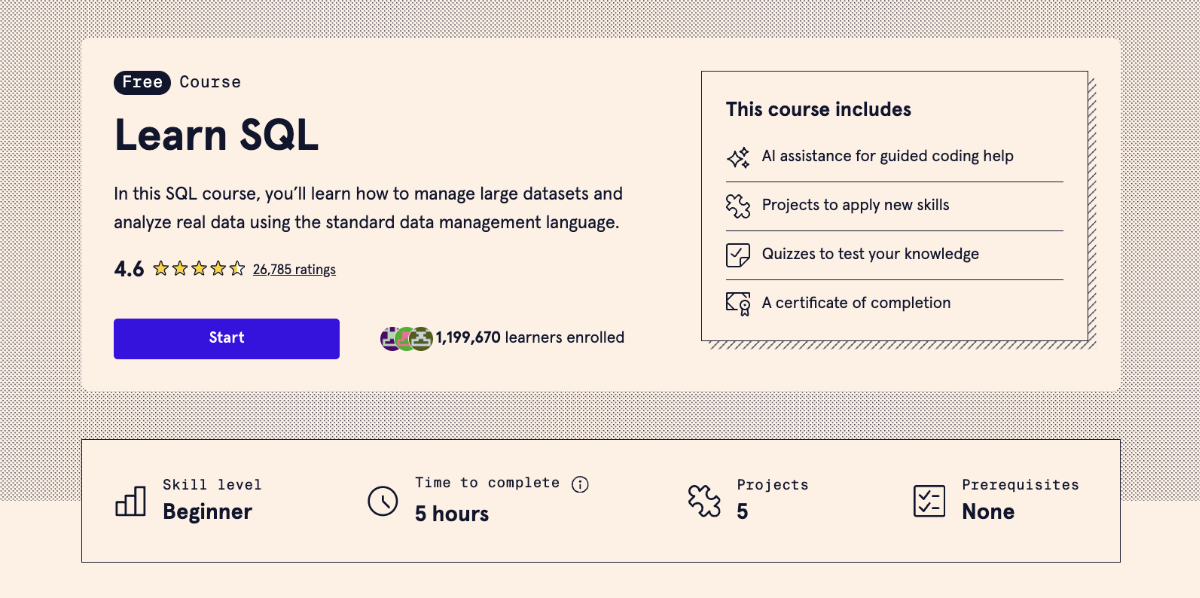
- Cost: Codecademy Pro \$24.99/month for projects and certificate
- Time to Complete: ~5 hours, self-paced
- Prerequisites: None
- What You'll Learn:
- SQL fundamentals: SELECT, WHERE, ORDER BY
- Aggregate functions and grouping
- Joining tables across multiple sources
- Five small in-browser projects
- Quizzes and progress tracking
- Industry Recognition: 1.19M+ learners enrolled, 4.6 average from 26K+ reviews
- Best For: Visual learners who want the cleanest beginner SQL experience available.
Why it works: Codecademy's Learn SQL has the most polished interactive editor in the SQL category. You write real queries in the browser with instant feedback, and lessons break syntax into bite-sized steps that don't overwhelm beginners.
The pacing is gentler than most alternatives, which suits learners who get stuck on firehose video content.
The five included projects give you something concrete to point to after the course, and the Pro tier unlocks structured project work.
Worth knowing: This is a starter course, not a complete path. The free tier covers fundamentals but stops well before window functions, complex CTEs, and query optimization.
Pair it with practice on real datasets through DataLemur, PGExercises, or LeetCode SQL, or move on to a deeper course once the basics click.
3. Mode Analytics SQL Tutorial
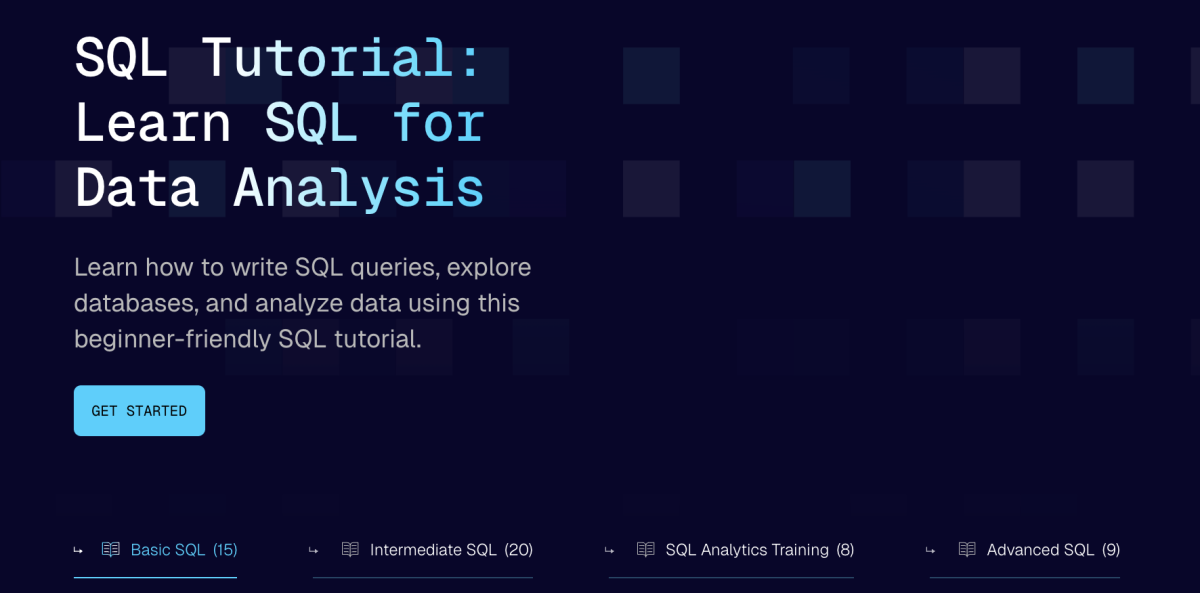
- Cost: Free (no account required)
- Time to Complete: ~10-15 hours, self-paced
- Prerequisites: None
- What You'll Learn:
- SQL fundamentals through analyst workflows
- Aggregate functions and grouping for reporting
- Joins and combining tables
- Window functions and analytics patterns
- Performance and query optimization basics
- Industry Recognition: Created by Mode Analytics, a business intelligence platform used by working data analysts. Widely cited in analyst community discussions.
- Best For: Self-directed learners targeting analyst roles who want a free, analyst-focused tutorial without a course platform.
Why it works: Mode's tutorial reads like a working analyst wrote it for working analysts. Every section is structured around questions you'd actually answer on the job: customer retention by cohort, products driving revenue growth, conversion drops in the funnel.
The SQL syntax is in service of the analysis, not the other way around.
It covers more advanced patterns than most free options, including window functions and analytical queries. Written for readers, not viewers.
Worth knowing: No certificate, no instructor, no progress tracking. This works for self-motivated learners but can stall if you need external accountability.
No hands-on exercises in the traditional sense either, so pair it with a practice database (DataLemur or PGExercises both work well).
Best SQL Courses for Data Analysts
These three courses go past the foundational ceiling into the SQL patterns analysts use daily: window functions, CTEs, query optimization, and the kind of practical reasoning hiring managers test for in interviews. Each takes a different path to get there.
4. SQL for Data Science (UC Davis, on Coursera)
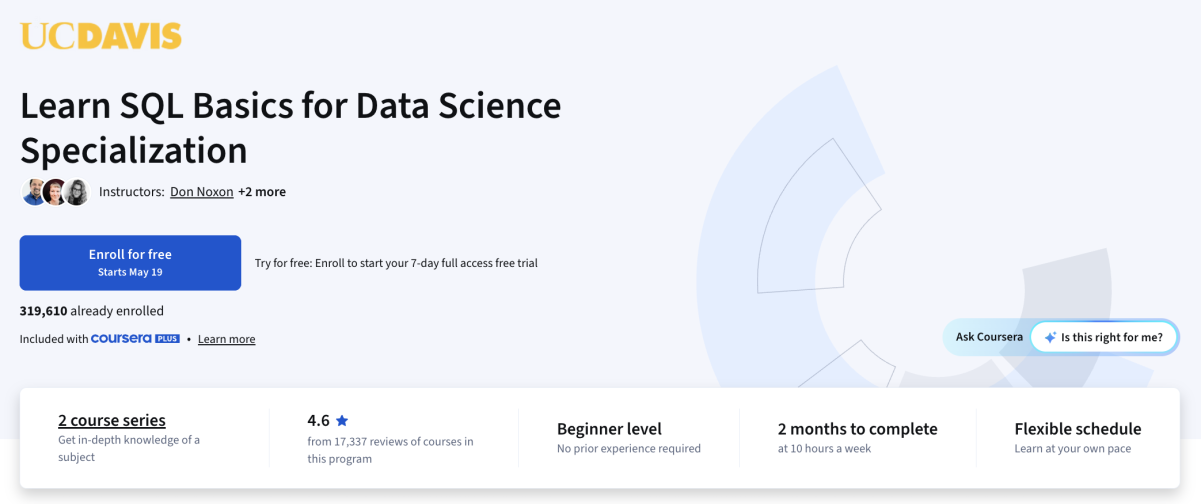
- Cost: Free to audit / \$49/month for Coursera Plus and certificate
- Time to Complete: ~14 hours across 4 weeks
- Prerequisites: None
- What You'll Learn:
- SQL fundamentals: SELECT, WHERE, joins
- Filtering, sorting, and calculated fields
- Subqueries and common table expressions
- Window functions and analytics patterns
- Hands-on assignments using real datasets
- Final case-study project
- Industry Recognition: Part of the SQL for Data Science specialization on Coursera. 39% of learners reported a career change or new job per Coursera's specialization page. Taught by Sadie St. Lawrence, founder of Women in Data.
- Best For: Learners who want a structured, credentialed introduction to analyst-focused SQL.
Why it works: UC Davis's SQL for Data Science is one of the few free-to-audit courses that takes analyst-track SQL seriously. The curriculum moves past basic queries into CTEs and window functions.
Hands-on assignments test understanding rather than recall, and the case-study project at the end gives you something to point to.
The audit option lets you preview the full curriculum before committing to the certificate fee.
Worth knowing: Video-led format, so vulnerable to the passive-watching trap unless you pair it with active query practice (DataLemur or PGExercises work well). Some assignments demand more than the lectures cover, which can feel like a difficulty spike. Similar to Python for Everybody, the gap between watching and doing is real.
Plan to write queries against the assignment datasets in your own environment, not just inside Coursera's auto-grader.
5. The Complete SQL Bootcamp by Jose Portilla (Udemy)
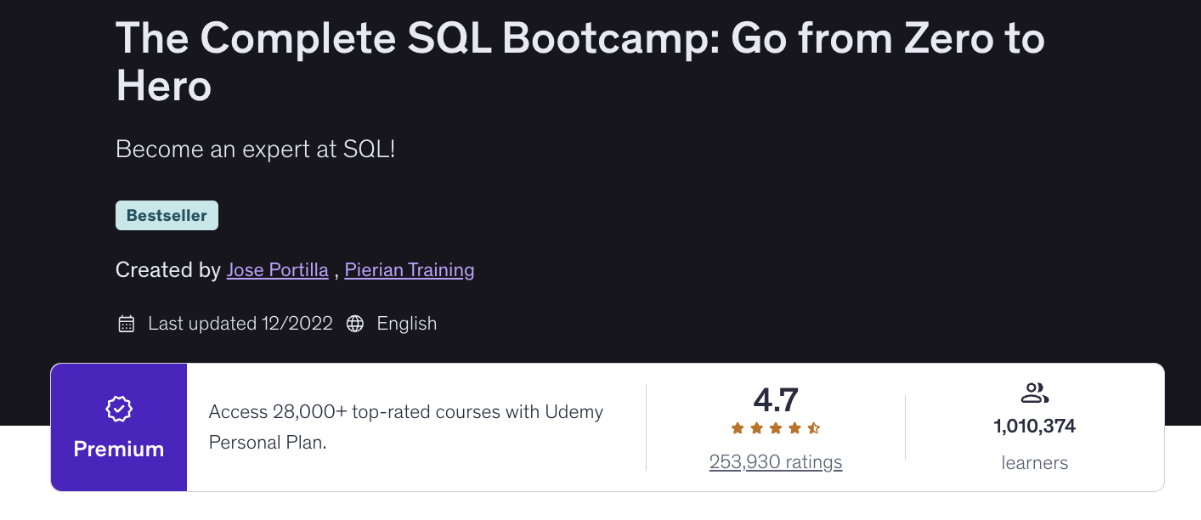
- Cost: \$15-60 on Udemy (frequently on sale; lifetime access)
- Time to Complete: ~9 hours, self-paced
- Prerequisites: None
- What You'll Learn:
- PostgreSQL setup and pgAdmin basics
- SELECT, WHERE, GROUP BY, joins
- Subqueries and set operators
- Conditional expressions and string functions
- Database creation and table design
- Multiple hands-on coding challenges throughout
- Expiration: Never (Udemy lifetime access)
- Industry Recognition: Often cited as the best SQL course on Udemy. 700K+ enrollments, 4.7/5 average rating from 200K+ reviews. Jose Portilla teaches widely across data and Python courses with consistent positive feedback.
- Best For: Budget-conscious learners who want a PostgreSQL-specific deep dive with lifetime access.
Why it works: Jose Portilla's Complete SQL Bootcamp is the budget option that punches above its price. The course walks you through setting up PostgreSQL and pgAdmin locally from the start.
You learn SQL the same way working analysts and engineers do, against a real database on your own machine rather than a sandboxed browser.
Portilla's pacing is widely praised, and coding challenges sprinkled throughout each section force you to apply what you just watched. Udemy's lifetime access also means you can revisit lessons when you hit a specific SQL pattern in your work.
Worth knowing: PostgreSQL-specific. The core SQL transfers cleanly to other dialects, but the local setup and exercises all use PostgreSQL. If you're targeting MySQL, SQL Server, or BigQuery, you'll translate dialect-specific syntax separately.
The course also stops short of advanced analyst patterns like window functions.
6. Zero to Mastery Complete SQL + Databases Bootcamp
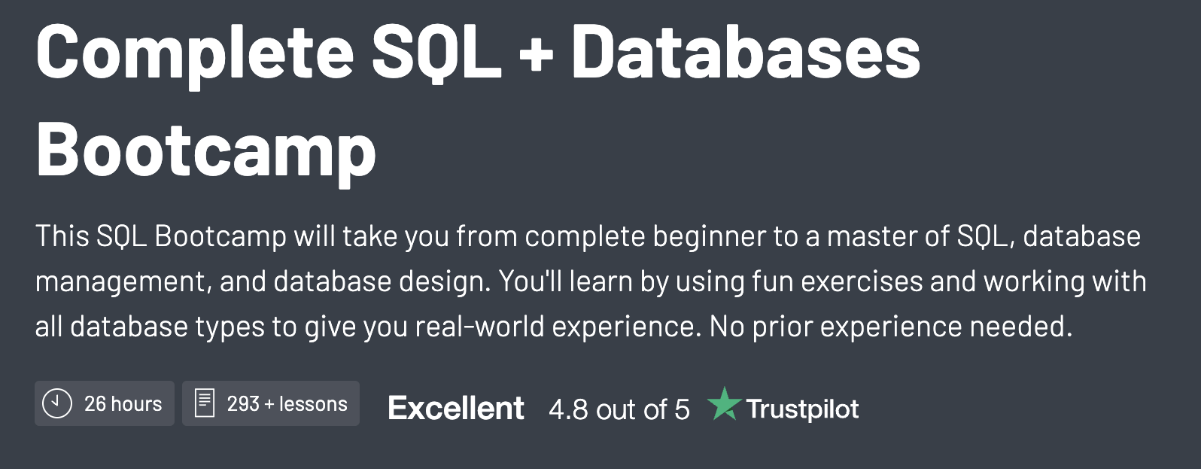
- Cost: \$39/month
- Time to Complete: ~25 hours, self-paced
- Prerequisites: None
- What You'll Learn:
- SQL fundamentals through advanced patterns
- PostgreSQL and MySQL setup and use
- Joins, subqueries, CTEs, window functions
- Database design and normalization
- Indexing and query performance basics
- Capstone database project
- Industry Recognition: Part of the ZTM subscription that includes wider career-change support. 50K+ ZTM learners across courses, with strong community ratings.
- Best For: Career-changers who want the best SQL training as part of a broader skill-building subscription.
Why it works: Zero to Mastery's Complete SQL + Databases Bootcamp bundles SQL training into ZTM's broader career-change ecosystem.
The 25-hour course progresses from fundamentals through window functions and indexing, plus access to ZTM's Discord community and the rest of the platform's courses.
Learners credit the structured progression and active community for keeping them engaged through career-change. The capstone project gives you something tangible to discuss in interviews.
Worth knowing: Breadth-heavy by design. ZTM's subscription gives access to many adjacent topics, which suits career-changers exploring direction but can become "tutorial hell" without a focused track.
The SQL course itself is solid, but the price only makes sense if you're using the broader subscription for more than one skill.
Best SQL Courses for Engineering & Cloud
Engineering-focused SQL training goes deeper than analyst patterns. Expect coverage of database design, indexing, query planning, and the production concerns that separate writing queries from running databases. The course below is built for developers and engineers who need to understand databases at the systems level, not just query them.
7. Frontend Masters Complete Intro to Databases
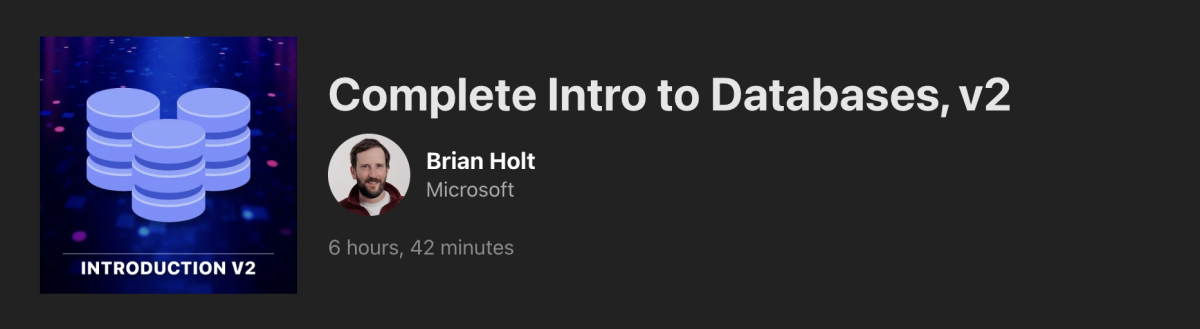
- Cost: \$39/month
- Time to Complete: ~6 hours, workshop format
- Prerequisites: Comfort with the command line; some backend programming experience helpful
- What You'll Learn:
- Relational and non-relational database fundamentals
- PostgreSQL, MongoDB, and Redis covered in one workshop
- Database design and schema modeling
- Indexing and basic query optimization
- When to choose which database for a given workload
- Hands-on exercises throughout the workshop
- Industry Recognition: Frontend Masters is a developer-focused platform with strong reputation in JavaScript and backend communities. Course taught by Scott Moss, formerly at Netflix.
- Best For: Developers who want SQL in context with broader database engineering skills.
Why it works: Frontend Masters' Complete Intro to Databases treats SQL as one tool in a database toolkit that includes PostgreSQL, MongoDB, and Redis.
The workshop covers when to pick relational over document storage, how indexes affect query performance, and how to design schemas that won't haunt you in production.
Scott Moss teaches from his Netflix experience, and the workshop format means you're modeling schemas alongside the instructor. Engineering-track learners credit it for systems-level intuition that analyst-only courses miss.
Worth knowing: Not an SQL-only course. The 6 hours split across PostgreSQL, MongoDB, and Redis, which means SQL-specific depth is shallower than a course like ZTM Complete SQL + Databases.
The Frontend Masters subscription bundles many other developer courses, which suits broader engineering skill-building but is expensive if you only want SQL.
If your goal is analyst SQL specifically, the analyst-track courses earlier in this guide are better fits.
Best Free SQL Courses
Free SQL courses can be excellent. The two below cover opposite ends of the spectrum: Stanford's academic depth proves university content can compete with paid programs, and SQLBolt is the best website to learn SQL basics interactively for free. Both have real trade-offs in exchange for the zero price.
8. Stanford Databases: Relational Databases and SQL
- Cost: Free to audit on edX. \$99 for an edX verified certificate.
- Time to Complete: ~10-15 hours, self-paced
- Prerequisites: None
- What You'll Learn:
- Relational model fundamentals and database theory
- SQL queries from basic SELECT through advanced patterns
- Subqueries and common table expressions
- Indexing concepts and query planning
- Transactions and constraints
- Database design and normalization principles
- Industry Recognition: Taught by Jennifer Widom, former dean of Stanford's School of Engineering and a foundational figure in database education. The course materials have been used in computer science programs worldwide.
- Best For: Self-directed learners who want academic rigor and conceptual depth at no cost.
Why it works: Stanford's Databases course is one of the few free courses that takes the why of SQL as seriously as the how.
Jennifer Widom built the original Stanford curriculum that influenced how a generation of computer scientists learned the relational model. The course covers query syntax alongside the theory of why queries work, including normalization, transactions, and indexing foundations.
The audit option keeps the full curriculum free; the optional certificate is reasonably priced if you want the credential.
Worth knowing: The pace is academic, not vocational. If you want to ship a SQL project for work next month, Stanford is overkill. Similar to CS50P in the Python world, the foundation lasts decades if you're willing to wrestle with the theoretical material.
Pair it with hands-on practice through PGExercises, DataLemur, or actual query work on your own database.
9. SQLBolt

- Cost: Free (no account required)
- Time to Complete: ~3-5 hours, self-paced
- Prerequisites: None
- What You'll Learn:
- SELECT, WHERE, ORDER BY, and basic filtering
- Common SQL functions and aggregates
- Joins across multiple tables
- GROUP BY and basic aggregations
- Practice exercises after every lesson
- Industry Recognition: Frequently the top "fastest way to start SQL" recommendation on r/learnSQL and Stack Overflow. No credential, but widely used as a SQL pre-requisite for paid courses.
- Best For: Anyone who wants to write their first SQL query in the next hour.
Why it works: SQLBolt is the answer to "where can I just try SQL right now without signing up for anything."
Each lesson explains one concept in a few paragraphs, then drops you into an in-browser query window where you write SQL against a sample database. The feedback loop is immediate.
The total time is short enough that you can complete the whole tutorial in an afternoon and walk away comfortable with the basics. For absolute beginners who haven't decided whether SQL is worth committing to, SQLBolt is the lowest-friction way to find out.
Worth knowing: SQLBolt stops at basics. The curriculum covers SELECT through joins and aggregations, but doesn't touch window functions, CTEs, or advanced subqueries.
It's a starter, not a finisher. After SQLBolt, you'll want either Dataquest's SQL Fundamentals path or one of the analyst-track courses earlier in this guide.
When You Actually Need an SQL Course
You'll get more from a structured SQL course (paid or free) if:
- You're starting from zero with no programming background. SQL syntax looks deceptively similar to English, but the underlying database concepts (joins, aggregations, query execution order) need explicit teaching. A course saves weeks of trial-and-error.
- You're changing careers into a data analyst, data engineer, or backend developer role. Job-ready SQL goes well past what you can pick up from blog posts. A structured path through window functions, CTEs, and query optimization builds the depth interviewers actually test for.
- You've tried free tutorials and stalled. If you've started SQLBolt or Mode's tutorial twice and never finished, the structure of a paid course with interactive exercises and progress tracking may be the missing piece. Self-direction works for some learners, not all.
- You want the credential. Stanford, UC Davis, and Codecademy Pro all offer certificates that carry weight for entry-level roles. For the full breakdown of which SQL certifications matter, see our guide to the best SQL certifications.
When You Should Skip the Course and Just Build
You can probably skip a paid SQL course if:
- You already write SQL for your day job. Reading the PostgreSQL Tutorial, the official PostgreSQL documentation, or our free SQL tutorial guide will move faster than any course for the specific patterns you need next.
- You have a narrow, specific goal. Need to write reports for a Tableau dashboard? Need to migrate one database from MySQL to PostgreSQL? A targeted tutorial or AI-assisted pairing session beats a 25-hour course every time.
- You learn better from practice than from instruction. Practice-only platforms move you faster than any course can. DataLemur, PGExercises, LeetCode SQL, and HackerRank SQL all offer real-database exercises sorted by difficulty. Free, self-paced, and exactly what hiring managers test for.
- You want a free YouTube path. DataWithBaraa offers a 30+ hour SQL course on YouTube that's frequently recommended in r/learnSQL discussions. Alex The Analyst and Mike Dane (Giraffe Academy) also offer substantial free SQL content on YouTube.
- You've already taken a few SQL courses. If you've started two or three SQL courses and finished none, a project might serve you better than another course. Pick something you actually care about (analyze your own bank statements, build a query dashboard for your fantasy football league) and learn SQL by solving a real problem you'd want solved anyway.
Making Your SQL Course Decision
The "best SQL courses" lists you've been reading aren't wrong, they're just trying to serve everyone at once. The right course for you depends on whether you're starting from zero, leveling up as an analyst, or going deep on database engineering.
The best way to learn SQL is to pick one course this week, pair it with consistent query practice, and follow a structured roadmap. A quick shortcut by where you are:
- You're a complete beginner with no programming background: Dataquest's SQL Fundamentals path lets you try the platform with free lessons before committing to a paid plan. The 24-hour curriculum goes all the way through window functions, the patterns hiring managers actually test for in analyst interviews.
- You want academic rigor for free: Stanford Databases on edX gives you university-grade depth and the option of a \$99 certificate if you want the credential.
- You want the budget option: Jose Portilla's Complete SQL Bootcamp on Udemy goes on sale frequently for \$15-20 and includes lifetime access.
- You want to test SQL before committing to anything: SQLBolt takes about three hours and requires no signup.
Pick one. Block study time on your calendar. Finish it before enrolling in another. Then start applying for roles. The market teaches you which patterns matter, and you'll learn faster solving real problems than collecting more courses.
Frequently Asked Questions
Should I finish one SQL course or sample multiple?
One focused course completed thoroughly beats three half-finished ones. After your first foundation course, additional courses serve specialization (analytics, engineering, MLOps) rather than redundant beginner content.
The common failure pattern is collecting beginner SQL courses without finishing any. Three half-completed Udemy courses plus one half-completed Coursera specialization equals zero portfolio projects and zero consolidation. The pattern has a name in developer communities: tutorial hell. The way out is finishing what you started, even if the course turns out to be imperfect. Imperfect-and-finished beats perfect-and-abandoned every time.
Are SQL courses worth it in 2026 with AI generating queries?
Yes, more than ever. AI generates SQL. Humans review, debug, and optimize. If you can't read and understand a query, you can't tell whether an AI-generated query is wrong, inefficient, or vulnerable to SQL injection.
SQL is also one of the most durable technical skills. Stack Overflow's Developer Survey has consistently ranked SQL among the most-used languages by professional developers for over a decade. Demand isn't slowing because AI helps write queries. It's growing because every AI application that touches a database still needs humans who can verify the SQL underneath. Modern SQL learners use AI to explain unfamiliar query patterns and accelerate boilerplate, not to replace learning.
Can I learn SQL without programming experience?
Yes. Every course in the "Best SQL Courses for Absolute Beginners" section above is designed for learners with zero programming background, and SQL's syntax is closer to plain English than most languages, which lowers the barrier compared to starting with Python or JavaScript.
The bigger predictor of success isn't prior experience. It's whether you can commit to consistent practice. An hour a day for two months beats ten hours one weekend and nothing for a month. Pick a course that matches your learning style, block study time on your calendar, and start writing queries in week one rather than waiting until you "understand" the material.
How long does it take to get job-ready in SQL?
Realistic timeline: 2 to 4 months at 5 to 10 hours per week of focused study, including portfolio project work. Faster if you already program in Python or another language. Slower if you only have a few evening hours per week.
Job-ready means more than completing a course. It means comfort with window functions, CTEs, joins across multiple tables, and query optimization basics. It means you can write a complex analytical query in an interview without panic. Apply for roles before you feel "ready." The market teaches you what skills actually matter, and waiting often means waiting too long. If your goal is data analytics specifically, see our data analytics course catalog.
Do I need a certification to land an SQL job?
No. Hiring managers care about whether you can solve real problems with SQL, not whether you have a credential. Certifications can help in specific situations (career changes, employer-mandated screening, ATS keyword filters), but they don't substitute for portfolio projects that demonstrate you've actually used SQL on real data. For the full breakdown of when SQL certifications make sense, see our guide to the best SQL certifications.
Are paid SQL courses worth it when so many free options exist?
Often, yes. Free options like Stanford Databases and SQLBolt are excellent if you have the self-direction to push through long curricula without external accountability. Most learners don't, and that's why paid programs exist.
What you pay for is structure that holds you accountable: an interactive practice environment, graded projects that build a portfolio, and a community that keeps you moving when motivation dips. For learners who've stalled on free resources before, that structure pays for itself in completion rates alone.
How much should I expect to spend on an SQL course?
SQL courses range from \$0 to \$300+ depending on format and goal. Free options like SQLBolt and Stanford Databases on edX cost nothing. Subscription platforms like Dataquest, Codecademy, and Zero to Mastery run \$24 to \$49 per month, with annual plans typically discounted. Udemy courses like Jose Portilla's Complete SQL Bootcamp go on sale frequently for \$15 to \$60.
The category to be cautious about is data bootcamps charging \$5,000+ that promise career outcomes. Most don't outperform a \$400 annual subscription to a focused self-paced platform paired with active practice on DataLemur or PGExercises.
Want to read more?
Check out the full article on the original site